
Interactive resumes are digital, multimedia-rich resumes that go beyond PDFs, incorporating videos, animations, and clickable links to showcase your skills. They’re gaining traction in 2026 as recruiters spend just seconds reviewing resumes. Tools like Canva, VisualCV, Zety, Kickresume, and Teal help you create these resumes with features like AI-powered suggestions for your job search, ATS-friendly templates, and multimedia integration. Here's a quick breakdown:
- Canva: Great for multimedia-rich resumes; free or $12.99/month for Pro.
- VisualCV: Offers analytics and privacy controls; free or $24/month.
- Zety: Focuses on ATS-friendly designs; $1.95 trial, then $25.95/month.
- Kickresume: Includes AI tools and portfolio building; free or $7/month (annual plan).
- Teal: Combines resume building with job tracking; free or $9/week for premium.
Quick Comparison:
| Tool | Best For | Key Features | Pricing | ATS Compatibility |
|---|---|---|---|---|
| Canva | Multimedia resumes | AI text, drag-and-drop design | Free; $12.99/month | Moderate |
| VisualCV | Analytics & privacy | CV tracking, portfolio options | Free; $24/month | Moderate |
| Zety | ATS-friendly resumes | Step-by-step builder, scoring | $1.95 trial; $25.95/month | High |
| Kickresume | AI & speed | GPT-5 builder, templates | Free; $7/month (annual) | Moderate |
| Teal | Job search management | Job tracker, match scores | Free; $9/week | High |
These tools cater to various needs, from design-focused resumes to ATS-optimized layouts. Choose based on your career goals and industry requirements. You can also generate professional cover letters to match your new interactive design.
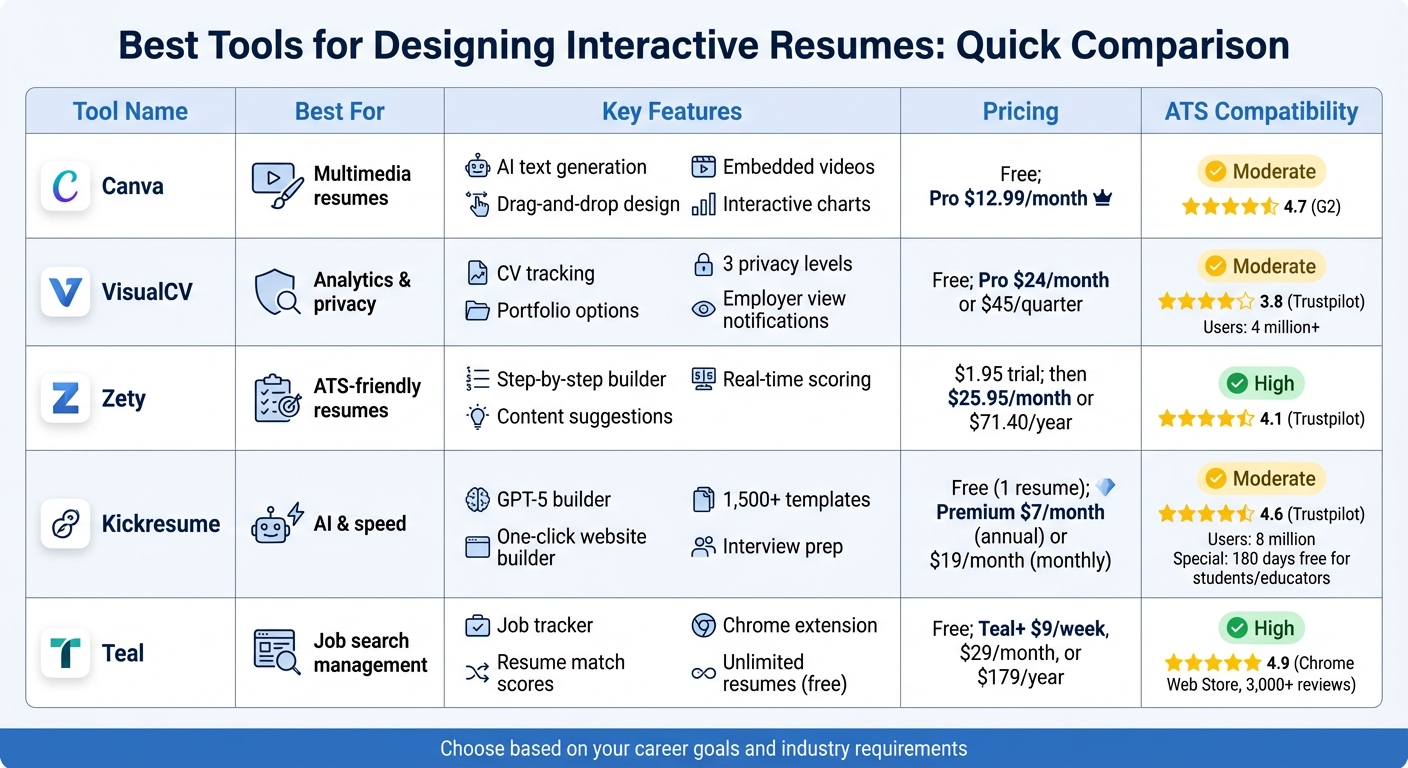
Interactive Resume Builder Tools Comparison: Features, Pricing and ATS Compatibility
Best Tools for Creating Interactive Resumes
Canva
Canva takes a design-focused approach to help you transform a standard resume into an engaging, multimedia portfolio. Its Job and Resume AI app generates personalized summaries and skillsets based on job descriptions, making it a handy tool for tailoring your application to specific roles. What really sets Canva apart is its ability to incorporate elements like embedded videos, interactive charts, and other rich media into your resume. This makes it an excellent choice for creative professionals who want to visually showcase their career journey.
The free version lets you download as many resumes as you need, while Canva Pro, priced at $12.99/month, unlocks a vast library of graphic elements, shapes, and illustrations. With a 4.7/5 rating on G2, users love its intuitive drag-and-drop editor and team collaboration features. However, its visually intricate designs might not be the best fit for Applicant Tracking Systems (ATS), which could struggle to parse such resumes.
VisualCV
VisualCV combines sleek design with advanced analytics and privacy features. One standout feature is its CV analytics, which notifies you when an employer views or downloads your resume - an invaluable tool for tracking job application progress. With over 4 million users, VisualCV also excels at portfolio integration and offers three levels of privacy controls to manage who can access your work.
"VisualCV made it simple for me to design an attractive resume which I truly believe helped me stand out to potential employers."
- Marlie Reny, VisualCV User
For those in tech and engineering, VisualCV provides specialized templates tailored to these industries. Pricing starts with a free basic plan, while the Pro version costs $24/month or $45/quarter. If you're not satisfied, there's a 30-day money-back guarantee. With a Trustpilot rating of 3.8/5, users appreciate its tracking features, though some find the interface less intuitive.
Zety
If you're looking for a straightforward, ATS-friendly resume builder, Zety might be your go-to. Its step-by-step builder offers tailored content suggestions based on your job title, and a real-time scoring system provides instant feedback to help you refine your resume. This makes Zety especially appealing for those new to the job market.
Zety offers a 14-day trial for $1.95, after which the subscription costs $25.95/month or $71.40/year. It has a 4.1/5 rating on Trustpilot, with users praising its simplicity and ease of use. However, the auto-renewal subscription model has raised concerns for some. Unlike visually focused platforms, Zety prioritizes clean, structured layouts that are optimized for ATS systems.
Kickresume
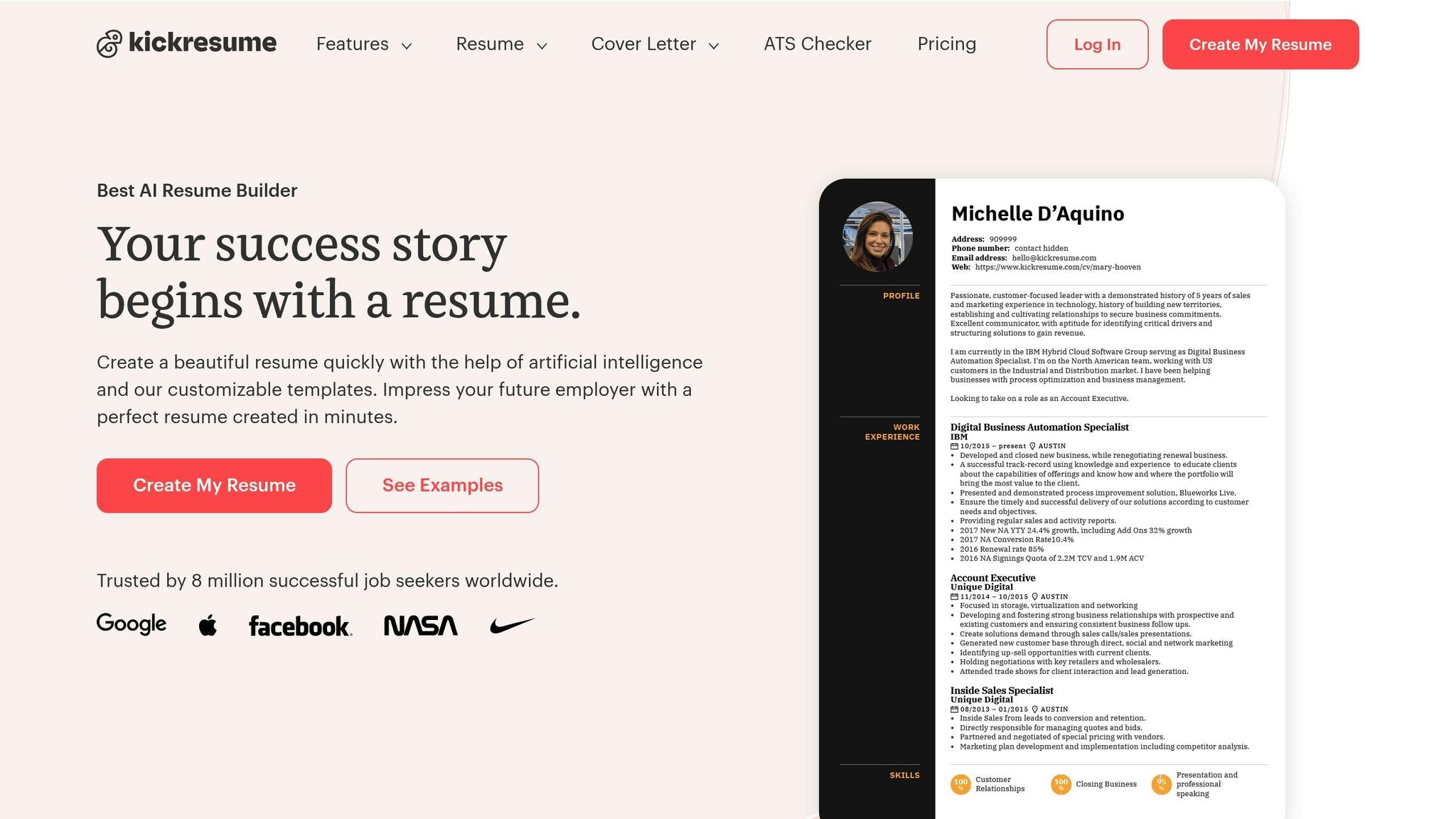
Kickresume leverages GPT-5 to create resume sections based on job titles, and its one-click Website Builder can convert your resume into a personal portfolio. Trusted by 8 million users worldwide, the platform goes beyond resume building with features like interview preparation tools and mobile apps for iOS and Android. These features are particularly useful for technical interview preparation.
"Kickresume is by far the most powerful resume editor on the web. It helped me create my resume really fast and people are always 'Wow' when they see it."
- Bastien Vidé, Full-stack Developer & Team Manager at Airfrance
The free plan allows you to create one resume, while Premium costs $7/month (billed annually) or $19/month (billed monthly). Students and educators can access up to 180 days of Premium for free with ISIC, ITIC, or UNiDAYS verification. With a Trustpilot score of 4.6/5 and a library of over 1,500 real resume examples, Kickresume is ideal for those who want polished, visually appealing templates.
Teal
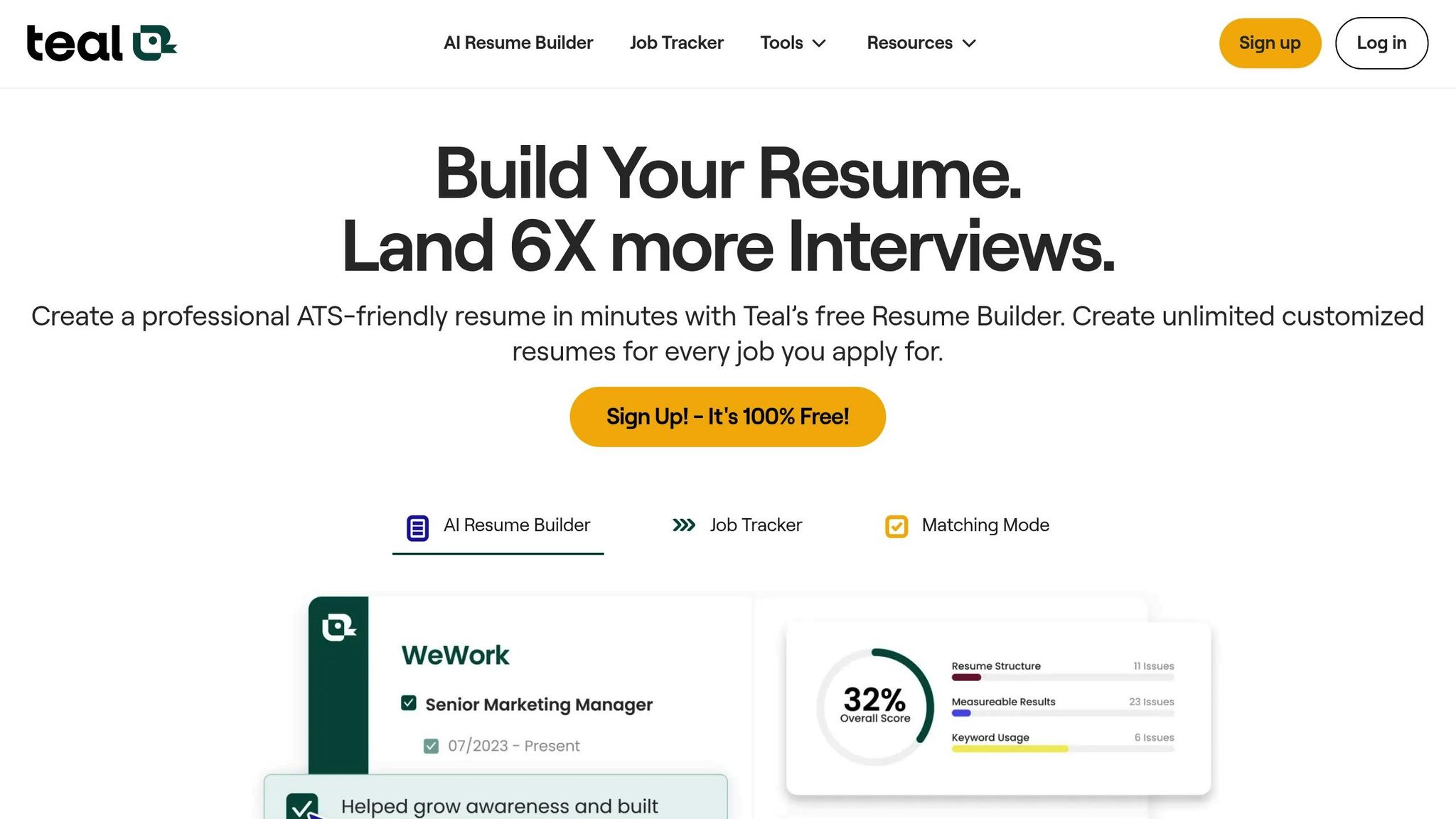
Teal is more than just a resume builder - it’s a complete job search management tool. Its Job Tracker helps you organize application stages, while the Resume Match Score ensures your resume aligns with specific job descriptions. Plus, a Chrome extension saves job postings and autofills applications automatically.
"This resume builder is amazing! It makes creating job-specific resumes and cover letters a breeze. The resume AI integration and resume status tracking are the best I've used."
- Brett Burbidge, VP of Engineering
Teal’s free plan allows unlimited resumes, while Teal+ is available for $9/week, making it a flexible option for short-term, intensive job searches. With a 4.9/5 rating on the Chrome Web Store from over 3,000 reviews, Teal focuses on ATS-friendly layouts and even includes a tech-focused job portal, making it especially useful for those in technology and engineering fields.
These tools offer a range of features to help you craft resumes that stand out, whether you’re a creative professional, a tech expert, or just starting your career journey.
sbb-itb-20a3bee
What to Look for in an Interactive Resume Tool
Design Options and Customization
The best interactive resume tools allow you to tell your professional story in a way that’s both engaging and visually appealing. Look for platforms that let you integrate multimedia elements - like videos, audio clips, GIFs, and clickable links - to highlight your skills and achievements in a dynamic way. Features such as clickable hotspots, timed animations, and collapsible sections can help you present a detailed work history without overwhelming the reader. This is especially useful when recruiters spend an average of just six seconds reviewing a resume.
Having a variety of templates is equally important. Choose tools that offer designs tailored to specific industries - whether you're in tech, creative fields, or corporate roles - to ensure your resume matches professional standards. Many platforms now include AI-powered features like automated summary writers, real-time scoring, and even photo editors to refine your headshot. Accessibility features, such as built-in immersive readers, are also valuable for ensuring your resume is usable by everyone.
With these customization options, you can create a resume that not only looks impressive but also functions effectively.
ATS Compatibility
Even the most visually appealing resume won’t help if it can’t pass through an Applicant Tracking System (ATS). With LinkedIn job postings often attracting over 100 applications in just a few hours, many employers rely on ATS to filter candidates. To improve your chances, look for tools that provide ATS-friendly templates designed to be easily read by these systems. Features like keyword optimization can also make it easier to align your resume with the language used in job descriptions.
To avoid issues, stick with simple designs and avoid overly complex visuals that might confuse an ATS. Additionally, ensure the tool offers standard export options like PDF or text-only formats, which are more likely to be ATS-compatible.
By prioritizing ATS compatibility, you ensure your resume gets seen while still maintaining a polished look. Once your resume opens doors, you can master your online interviews using AI-driven preparation tools.
User Experience and Pricing
A smooth and user-friendly experience can make all the difference when building your resume. Tools with drag-and-drop interfaces, AI-powered writing assistance, and real-time grammar checks simplify the process and save time.
Flexibility in how you import and export your data is another key factor. Platforms that allow you to pull information from LinkedIn or existing PDFs and then export your resume in formats like PDF, TXT, HTML, or even video (MP4) give you the freedom to tailor your resume for different opportunities.
"Enhancv is worth it if you value professional design, ATS compatibility, and time-saving features. If you just need a quick, generic resume, other builders or templates might do - but they won't give you the same polish or confidence."
- Enhancv
Tool Comparison
Comparison Table
Choosing the right interactive resume tool depends on your career needs, comfort with technology, and preferred sharing method. Based on design flexibility, ATS compatibility, and user experience, here’s a summary of key features:
| Tool | Main Strength | Key Interactive Features | Target User | Pricing | ATS Focus |
|---|---|---|---|---|---|
| Canva | Ease of use & AI assistance | AI text generation, Canva Sites, drag-and-drop interface | Beginners & general job seekers | Free; Pro ~$12.99/month | Moderate |
| Zety | Step-by-step guidance | Content suggestions, real-time tips | First-time resume writers | $1.95 trial; $25.95/4 weeks | High |
| Kickresume | Speed & AI automation | AI builder, AI interview preparation tools | Career starters & students | Free (4 templates); $19–$24/month or $7–$10/month (annually) | Moderate |
| Teal | Job search management | Job tracker, match scores | Multi-job seekers & career changers | Free; Premium $9/week, $29/month, or $179/year | High |
Each tool has its strengths, making it easier to choose based on your priorities.
If you value creative freedom, Canva is a great choice for beginners. However, it’s not fully optimized for ATS, so running your final resume through an ATS scanner is a smart move. Kickresume stands out for its speed and automation, offering six months of free premium access for students and educators. This is a great way to save money while you perfect your interview preparation.
For corporate roles, Teal and Zety provide ATS-friendly templates. Teal offers a free tier with unlimited downloads, while Zety provides a trial option that auto-renews at $25.95 every four weeks unless canceled.
Budget-conscious users will appreciate the free plans from Teal and Kickresume, which allow you to create unlimited resumes. Meanwhile, creative professionals looking for visually striking designs should consider Canva. Just remember: an ATS scanner can help ensure your final design is readable by hiring systems.
"Pick a resume builder that gives you real control over your content. You should be able to add sections like Projects or Courses, shift the order of information, and update one part without breaking the whole layout." - Julia Belak, Certified Professional Résumé Writer
Conclusion
Choosing the Right Tool for Your Needs
Interactive resumes can set you apart in a job market where each LinkedIn posting often attracts more than 100 applications. By incorporating features like embedded videos, clickable hotspots, and links to your social media profiles, you have the chance to highlight your skills and personality in ways that go beyond the limitations of static PDFs.
The best tool for your resume depends on your career goals and the expectations of your industry. If you're in a creative field, platforms like Canva are great for visually striking designs and portfolio integration. On the other hand, if you're applying for roles that require applicant tracking system (ATS) compatibility, tools such as Teal and Zety provide templates designed to work seamlessly with automated screening systems.
Striking the right balance between creativity and functionality is key to reinforcing your professional brand. An interactive resume not only shows off your creativity and technical skills but also reflects your resourcefulness. As Jacob Roach from Wired puts it:
"Use AI to make your résumé shine, not as a workaround for spending time to build a proper résumé".
While interactive features can grab a recruiter's attention, it's essential to ensure your core content remains professional and easy to read. Always have a print-friendly version on hand for traditional application systems, and run your interactive design through an ATS scanner to confirm compatibility.
Think about what matters most to you - whether it's speed, customization, or tracking your job applications - and choose a platform that fits those needs. With the right tool, you can turn your job search into an opportunity to present a compelling, interactive story of your professional journey.
5 Best Free Resume Builder Websites - AI & ATS Friendly
FAQs
What features should I look for in a tool to create an interactive resume?
When selecting a tool to craft an interactive resume, focus on features that make your resume engaging and easy to navigate. Look for tools that include clickable elements, embedded videos or audio, and animations to bring your content to life. A platform with a drag-and-drop editor and customizable templates can help you design a polished, professional resume without much hassle.
It’s also worth considering tools that support collaboration for real-time feedback and offer publishing options to export your resume in formats optimized for the web. Features like analytics, which track views and engagement, can offer helpful insights to fine-tune your resume. These capabilities ensure your resume not only grabs attention but also works smoothly across different devices.
How can I make sure my interactive resume works with ATS systems?
To make sure your interactive resume works with an ATS, stick to a straightforward, single-column design and choose a clean, sans-serif font. Steer clear of intricate graphics, tables, or unconventional formatting that could throw off the system. Prioritize including keywords tailored to the job you're targeting. When your resume is finalized, save it as a PDF or DOCX file and test it with an ATS analysis tool to confirm it’s compatible. This approach ensures your resume is easy on the eyes while still optimized for automated screening.
What is the best tool for designing creative and visually appealing resumes?
For professionals in creative fields aiming to craft a visually striking resume, Canva is a fantastic tool to consider. With thousands of customizable templates designed for different industries and a vast library of graphic elements - like icons, illustrations, shapes, and fonts - it makes adding a personal yet professional flair to your resume incredibly simple.
Canva’s user-friendly drag-and-drop editor eliminates the need for technical expertise, allowing you to design a polished resume in just minutes. Plus, the platform offers the option to transform your resume into a shareable website, making it an ideal solution for showcasing portfolios alongside your CV.