
AI-powered career dashboards simplify job searches and career management by offering real-time insights, skill recommendations, and interview preparation tools. These platforms pull data from sources like job boards and LinkedIn, analyze patterns, and provide actionable suggestions tailored to your profile. Key features include:
- Skills Gap Analysis: Identifies missing skills and recommends courses or certifications to close gaps.
- Real-Time Job Search Metrics: Tracks applications, interviews, and response rates, helping you adjust strategies.
- Interview Preparation: Predicts likely questions, offers practice prompts, and provides real-time coaching with tools like Acedit.
- Personalized Career Advice: Matches your skills and preferences to job opportunities and learning paths.
Core Features of AI Career Dashboards
Skills Gap Analysis and Learning Recommendations
AI-driven skills gap analysis works by evaluating your current abilities and comparing them with the skills employers are looking for in your target roles. Using natural language processing, these tools analyze your profile - drawn from your résumé, LinkedIn, and work history - against job requirements, identifying areas where you may need to improve.
The system also looks at historical hiring data to pinpoint which skills are most sought after for specific career paths. For example, if top candidates for a particular role consistently excel in a specific technical or analytical skill, the dashboard will highlight this as a gap for you to address. Once these gaps are identified, the AI offers personalized learning recommendations, such as certifications, online courses, or other training programs that align with your career goals.
The National Association of Colleges and Employers (NACE) describes these platforms as offering "personalized, data‐driven" tools that not only track career progress in real time but also enhance skill-building efforts. Some dashboards even include a feature called the "Career Passport", a digital repository where you can store and share your skills, credentials, and proficiency levels with potential employers.
These insights are then combined with real-time job search metrics, giving you a complete picture of your job application process.
Real-Time Job Search Metrics
With real-time job search metrics, your application process becomes a measurable system. AI tools monitor key metrics - such as the number of applications submitted, response rates, interviews secured, and offers received - allowing you to quickly make adjustments if progress stalls.
These insights help you identify which channels and strategies are working best. For instance, if the data shows that one job board consistently generates more engagement than others, you can prioritize that platform. Metrics are often displayed as funnels or timelines, making it easy to spot where opportunities are getting stuck. Real-time alerts also prompt you to follow up on stalled applications, ensuring you don't miss opportunities.
This automated tracking eliminates the need for manual updates, cutting down what used to take weeks into a matter of hours. Platforms like Careerflow go a step further by offering features like application tracking, profile optimization, and analytics to help you refine your approach and improve recruiter engagement.
Interview Performance Insights
AI dashboards also elevate your interview preparation by providing detailed feedback on your performance. These tools analyze your interview responses - whether during practice sessions or actual interviews - to identify areas for improvement, such as clarity, confidence, pacing, vocabulary, and how well you structure your answers.
For example, if you struggle with specific behavioral questions, the system will flag those areas and offer targeted coaching. It might guide you on using frameworks like STAR (Situation, Task, Action, Result) to structure your answers more effectively.
Many platforms include simulated interview environments that generate detailed performance reports after each session, highlighting your strengths and areas that need work. Tools like Acedit even take it a step further by providing real-time interview coaching through a Chrome extension, detecting questions as they are asked and offering AI-generated suggestions for your responses.
The widespread adoption of these tools underscores their effectiveness. For instance, COACH, a platform serving over 65,000 users across 30 partners in more than 120 countries and 10 languages, demonstrates the global scale of AI-guided career tools. This continuous feedback loop ensures you're always improving and better prepared for real-world opportunities.
Personalized Insights and Real-Time Tracking
Understanding Real-Time Career Tracking
Real-time career tracking takes the guesswork out of job searching by turning it into a measurable, data-driven process. Forget about manually checking multiple platforms or waiting endlessly for updates - this approach streamlines everything into one dynamic system.
With an automated dashboard, all your application data is pulled together in one place. You can see exactly where each application stands - whether it’s in the "applied", "interview", or "offer" stage - and track key updates like scheduled interviews, recruiter messages, or even profile engagement (such as views or resume downloads). Some platforms go further by analyzing which sources, like LinkedIn, Indeed, or direct company websites, are giving you the best results. This way, you can focus your energy where it counts.
The secret behind real-time tracking is automation. Instead of juggling emails, spreadsheets, and multiple job boards, AI tools sync directly with applicant tracking systems (ATS), job boards, and HR platforms, updating continuously. No more waiting 24–48 hours for batch updates - your dashboard stays current, showing you the latest changes as they happen.
These instant updates aren’t just convenient - they’re actionable. For instance, if your application-to-interview rate suddenly dips, you’ll know within hours and can adjust your strategy right away. Or, if one job board consistently outperforms others, you can shift your focus there. Automated alerts also keep you on top of things, reminding you about stalled applications, follow-ups, or approaching deadlines. This constant stream of data connects your efforts to actionable insights, helping you stay ahead in your job search.
How AI Delivers Personalized Career Recommendations
Beyond tracking your progress, AI takes things up a notch by offering tailored career advice. It doesn’t just send you generic job alerts - it analyzes your skills, preferences, and past activity to recommend opportunities that fit your unique profile.
Here’s how it works: AI reviews your resume, skills, and application history using natural language processing. It identifies both the skills you’ve listed and those it infers you have, then matches them to job postings that align closely with your qualifications. Machine learning models also dig into hiring trends to figure out which combinations of skills and experiences are most likely to land you a job.
Your personal preferences - like desired job titles, industries, company size, or salary range - serve as filters to fine-tune these recommendations. Over time, the system learns from your behavior, adapting its suggestions based on the roles you explore or apply for. This feedback loop ensures the recommendations become more accurate the longer you use the platform.
AI doesn’t stop at job suggestions - it also helps you close skill gaps. If your qualifications fall short of what employers are looking for, the platform highlights specific courses, certifications, or projects to strengthen your profile. These suggestions are prioritized based on market demand, focusing on skills that frequently appear in the job postings you’re targeting. This way, you can invest your time and energy where it will have the most impact.
AI's Role in Interview Preparation
Interview preparation is no longer about memorizing canned responses. AI tools now offer personalized coaching that adapts to your career needs, making your practice sessions as dynamic as your job search.
For starters, AI creates practice questions tailored to the roles you’re targeting. By analyzing job descriptions, it identifies the key skills and competencies employers are looking for and generates questions that focus on those areas. For example, if leadership and collaboration are emphasized in a job listing, you might receive behavioral questions about managing teams or working across departments. Some platforms even factor in company culture, pulling insights from public data to suggest preparation strategies that align with an organization’s values.
During practice sessions, AI evaluates your responses based on clarity, confidence, pacing, vocabulary, and structure. If you struggle with certain types of questions, the system flags those areas and provides targeted coaching. It might suggest frameworks like STAR (Situation, Task, Action, Result) to help you organize your answers effectively.
Acedit takes this concept further by offering real-time coaching during live interviews. Using a Chrome extension, it detects questions as they’re asked and generates response suggestions on the spot. These suggestions are tailored to your resume, the job description, and even the company’s background. By integrating your unique experience into its feedback, Acedit helps users feel more prepared - many report a 98% confidence boost and have successfully landed over 45 dream jobs.
The integration of these tools into career dashboards creates a complete preparation system. You can track your progress over time, identifying strengths and areas for improvement. By combining data from practice sessions and real interviews, the platform helps you set clear goals and measure your readiness with tangible metrics. This blend of analytics and real-time coaching ensures you’re not just prepared but constantly improving, giving you an edge in every interview.
5 New AI Job-Seeker Tools You Won't Believe Exist!
sbb-itb-20a3bee
Customizing AI Career Dashboards for Your Goals
Expanding on the real-time tracking and personalized insights discussed earlier, customizing your AI career dashboard allows you to align it with your unique career goals and current stage. Think of it as tailoring a tool to fit your needs perfectly.
Flexible Layouts and Key Metrics
Picture your dashboard as a command center for your career. Each panel can be adjusted to reflect your immediate priorities and long-term objectives.
If you're actively searching for a job, focus on panels that track your progress. For example, a job search pipeline panel can help you monitor applications, phone screens, advanced interview rounds, and offers. Add an interview readiness panel to track your preparation progress, and an outreach activity panel to measure networking efforts, follow-ups, and recruiter engagement.
If you're in the middle of a career transition, use panels that compare your current skills to the requirements of your target roles. A skills match panel can highlight gaps between your abilities and desired qualifications, while a learning progress tracker can display the certifications or courses you're working on. A panel suggesting target role recommendations can offer guidance as you navigate the shift.
For those focused on long-term growth, include panels that track your skills over time. A timeline chart could show your progress in areas like project management or data analysis over six to twelve months. Other panels might highlight completed certifications, finished courses, and even internal or external role suggestions.
Modern AI dashboards often allow drag-and-drop customization, learning your preferences to keep the most useful panels front and center. Regularly tweaking your setup - removing unused panels and emphasizing the ones you rely on - helps avoid clutter and keeps your focus sharp.
Filters and Segmentation for Precision
Once your dashboard layout is set, filters can help refine the data you see, turning it into actionable insights. Instead of overwhelming yourself with too much information, filters let you zero in on what matters most.
Start with basic filters like job title, industry, location, and time period. For instance, if you're targeting software engineering roles in San Francisco and New York, filter by those cities to ensure your metrics - such as response rates, interview conversions, and offer rates - are specific to those markets.
Exploring different industries? Filters can reveal where your background resonates most. For example, toggling between tech, healthcare, and finance might show which sector is most interested in your profile. You can also segment your data by application channels, such as job boards, referrals, or company career sites, to see which ones yield the best results. Similarly, breaking it down by company size - startup, mid-sized, or enterprise - can help you identify where your profile stands out.
Time-based filters are another powerful tool. By setting a 30-day or 90-day window, you can track trends like response rates or interviews per week. Some AI systems even flag statistically significant differences in your data, helping you spot actionable patterns in your application outcomes.
To avoid over-filtering, start with one or two filters that address your immediate questions. Most dashboards let you save these combinations as custom views - like "Data Analyst roles in healthcare, last 60 days" - so you can revisit them easily.
Integrating Tools Like Acedit for Interview Readiness
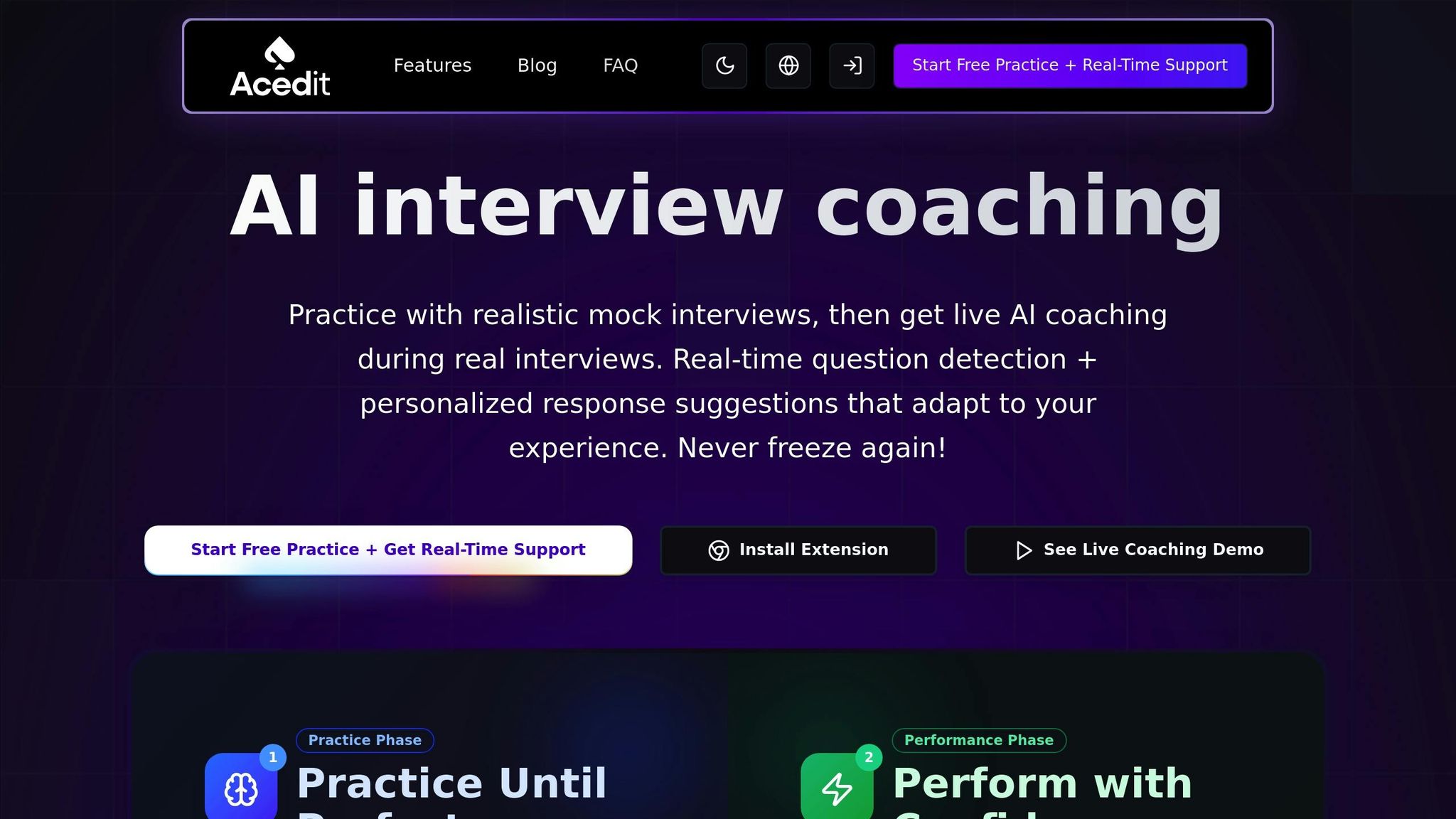
Interview preparation is a crucial part of the process, and having a dedicated space for it on your dashboard can make all the difference. Integrating tools like Acedit, an AI-powered Chrome extension, transforms preparation into something measurable and actionable.
An Interview Readiness panel can display key metrics from Acedit, such as the number of practice sessions completed, your average answer quality score, and your coverage across question categories like behavioral, technical, and role-specific queries. This approach replaces vague goals like "I need to practice more" with clear, trackable data.
Acedit takes it a step further by generating custom Q&A based on the roles you're applying for. For example, when targeting product management positions, it analyzes job descriptions to create practice questions tailored to the required skills and competencies. This setup allows you to track your progress across different question types and pinpoint areas where you need improvement.
The tool offers three pricing tiers with one-time payments:
- Free Plan ($0): Includes AI-assisted interviews and limited practice features.
- Premium Plan ($45): Adds unlimited practice Q&A and six simulated interviews.
- Premium Plus Plan ($75): Unlocks all features, including AI-assisted interviews, unlimited practice Q&A, simulated interviews, and cover letter assistance.
Evaluating and Using AI Career Dashboards Safely
When considering AI career dashboards, it’s crucial to ensure they align with your career goals. These tools are more than just a checklist of features - they influence how you manage your data, interpret recommendations, and make decisions. Taking the time to evaluate them thoroughly can save you from wasting time, dealing with privacy issues, or following misleading advice.
Key Criteria for Choosing an AI Dashboard
Start by focusing on data accuracy and transparency. A good dashboard should clearly explain how it generates recommendations. Whether it uses labor market data, your profile, or employer information, it should be upfront about its logic. For example, if a tool suggests a job match based on your Python skills and three years of data analysis experience, it should say so explicitly. Be wary of tools that provide high match scores without clear reasoning. Platforms integrating verified data sources and applicant tracking systems often deliver more reliable results.
Ease of use is another must-have. You should be able to quickly answer questions like, “What skills do I need for data analyst roles in New York?” without poring over a manual. A user-friendly tool delivers instant insights with minimal setup. If you’re spending more time figuring out the interface than tracking your progress, it’s time to look elsewhere.
Customization options also play a significant role. The best dashboards let you set and track metrics like applications, interviews, and offer rates. Advanced tools may even use machine learning to suggest metrics tailored to your goals. For example, software engineers might track portfolio views and GitHub activity, while sales professionals might monitor networking efforts and follow-up rates. Custom views for different objectives - like external job searches or internal promotions - can make the tool even more effective.
Platform integrations are essential for reducing manual data entry. Look for dashboards that securely connect to LinkedIn, major job boards, email platforms like Gmail or Outlook, and learning tools like Coursera or LinkedIn Learning. This ensures that applications, recruiter interactions, and course completions update automatically. Tools like Acedit, which offer real-time interview coaching, are especially valuable if they integrate securely.
Finally, prioritize documentation and support. Providers should detail how their AI models are trained and where their data comes from. Accessible customer support and transparent governance practices indicate that the vendor takes accuracy and fairness seriously.
Once you’ve evaluated the functionality and customization, shift your focus to data security and fairness.
Addressing Privacy and Bias Concerns
AI career dashboards often handle sensitive information - resumes, cover letters, interview notes, salary expectations, and job search activity. Understanding how this data is used and protected is non-negotiable.
Start by reviewing encryption and data retention policies. Ensure your data is encrypted both in transit and at rest. The platform’s privacy policy should explain how long your information is stored, whether it’s used to train AI models, and if you can delete your account and data at any time. Even though job-seeker tools aren’t always covered under laws like HIPAA, responsible vendors often adhere to general U.S. privacy standards, limiting data collection and offering opt-outs for model training. U.S.-based servers are preferable, and compliance with standards like SOC 2 or ISO 27001 is a good sign.
For browser-based tools like Chrome extensions, scrutinize permissions carefully. A tool like Acedit should only access the pages it needs, such as interview pages for real-time coaching, rather than tracking your entire browsing activity. Acedit explicitly states:
Acedit is designed with privacy in mind. We use industry-standard security measures to protect your data and never share it with third parties without your consent.
Algorithmic bias is another critical concern. Dashboards can unintentionally reinforce past discrimination if their models rely solely on historical hiring patterns. This could lead to recommendations that overlook your strengths. Look for tools that disclose their training data, explain how they address bias, and undergo regular audits. Platforms that focus on skills-based matching and draw from diverse data sources are generally more balanced.
You can also take steps to reduce bias. Treat recommendations as suggestions, not definitive answers. Validate them with independent research. If possible, hide demographic data like your name, photo, or graduation year to minimize bias. Compare suggestions across multiple platforms to identify patterns - such as being consistently recommended for lower-level roles despite having strong qualifications. For internal candidates, ask your HR team if fairness checks are in place to ensure equitable opportunities.
U.S. laws on privacy and discrimination are evolving. The Federal Trade Commission Act addresses unfair practices, while the Equal Employment Opportunity Commission has issued guidance on AI in hiring under Title VII. Some states, like Illinois and New York, have specific regulations for AI hiring tools, including audit requirements. When evaluating a dashboard, ask whether it complies with these laws and standards.
Pros and Cons of AI-Powered Dashboards
Once you’ve assessed the criteria and addressed privacy concerns, it’s time to weigh the pros and cons of using AI career dashboards. While these tools offer many benefits, they also come with risks that manual methods don’t.
| Aspect | Advantages | Potential Drawbacks |
|---|---|---|
| Career tracking & visibility | Provides real-time updates on applications, interviews, skills, and outcomes, offering a clear view of your job search or career development. | Can lead to information overload or an overemphasis on metrics that don’t align with your personal values. |
| Personalization | Offers tailored recommendations for roles, skills, and learning paths based on your profile and labor market trends. | May reflect biases in the data or push you toward narrow career paths if not regularly reviewed. |
| Automation | Saves time by automatically importing data from job boards, LinkedIn, email, and calendars. | Reduced manual engagement with your data can make it harder to spot trends or errors; integration glitches may disrupt tracking. |
| Predictive insights | Provides forecasts like offer likelihood and career pathway simulations to help you plan ahead. | Predictions depend on data quality; overconfidence in these insights could lead to poor decisions. |
| Interview preparation | Tools like Acedit offer real-time coaching, question detection, and tailored practice simulations. | Overreliance on AI-generated answers may make your responses feel rehearsed or inauthentic. |
| Transparency & control | Top dashboards explain their recommendations and allow you to adjust settings or export data. | Some tools function as "black boxes", making it hard to understand why certain roles are recommended. |
The National Association of Colleges and Employers notes that AI dashboards enable users to "track and forecast positive career outcomes in real time", including skills development and employer connections. While this real-time capability is powerful, it also demands thoughtful use. Treat AI suggestions as starting points, not final decisions. Cross-check recommendations with your own research and seek input from mentors or recruiters. If something feels off - like being recommended for roles that don’t match your skills - adjust your profile and use it as an opportunity to reflect on your goals.
CareerVillage’s Coach platform, launched in 2024 and used by over 65,000 users across 30 partners in 120+ countries, highlights a promising trend: combining AI with human oversight. By involving career educators in its design, the platform aims to maintain accuracy and avoid harmful advice. This “human-in-the-loop” approach is a reminder that AI should assist, not replace, human judgment.
Conclusion
AI-powered career dashboards simplify the chaos of career planning by turning scattered data - like applications, skills, interview notes, and salary goals - into actionable insights. These tools empower professionals in the U.S. to make quicker, more informed career decisions. Instead of juggling spreadsheets or relying on guesswork, you can track your application progress in real time, pinpoint skills to develop, and prepare for interviews with targeted support.
With real-time tracking, you can monitor recruiter responses and interview pipelines, ensuring timely follow-ups or shifts toward better-fitting opportunities. This seamless flow of information not only keeps you organized but also helps you stay prepared for interviews when it matters most.
Interview preparation is where these dashboards truly shine. By analyzing job descriptions and your profile, they can predict likely interview questions, suggest tailored responses, and offer feedback to refine your answers. For instance, Acedit integrates with career dashboards to provide real-time question detection, AI-generated answers, and practice simulations. According to user reports, this platform has boosted confidence by an average of 98%, helping candidates land over 45 dream jobs after completing more than 15,000 practice questions. When tracking tools combine with AI-driven coaching, opportunities can quickly turn into job offers.
Adopting an AI-powered approach can significantly improve your job search outcomes. Candidates focusing on roles with an 85%+ fit score have seen interview rates increase by 300–400%, while cutting their job search time in half. This is especially critical in a U.S. job market where AI-related roles grew by 25.2% in Q1 2025 alone, adding over 35,000 new positions. Staying competitive means consistently tracking your progress, testing new strategies, and using AI insights to refine your approach.
To get started, try a simple AI-powered dashboard to manage your applications, skill development, and interview readiness in one place. Set measurable goals, like a target number of interviews per month or specific salary brackets, and adjust your strategy based on AI-driven feedback. Make sure to choose tools that prioritize transparency and give you control over your data.
FAQs
How do AI-powered career dashboards tailor job recommendations to my skills and preferences?
AI-driven career dashboards take a deep dive into your skills, work history, and career aspirations to deliver tailored job suggestions. Using advanced algorithms, these platforms analyze your resume, previous roles, and preferences - such as industry, location, or desired salary - to find opportunities that fit you best.
Many of these tools rely on real-time data and machine learning to ensure the job matches are as relevant as possible. Beyond job recommendations, some dashboards include extra features like career insights customized to your profile and tools to help you prepare for interviews, giving you an edge in your job search.
How do AI-powered career dashboards protect my data and ensure privacy?
AI-driven career dashboards place a strong emphasis on protecting user data and maintaining privacy. They achieve this by employing advanced encryption methods to secure information both during transmission and while it's stored. This ensures sensitive details are kept safe from unauthorized access.
Many platforms also adhere to key regulations like GDPR and CCPA, reinforcing their commitment to privacy. To add another layer of protection, they incorporate access controls and anonymization techniques, reducing potential risks and offering users a secure, reliable environment.
How can AI tools like Acedit help me prepare for interviews and boost my confidence?
AI tools such as Acedit can revolutionize how you prepare for interviews. With features like real-time question detection, AI-powered response suggestions, and customized interview simulations, it provides a hands-on way to refine your skills. These tools are crafted to help you practice smarter, enhance your answers, and boost your confidence for the big day.
By focusing on your individual needs, Acedit equips you to tackle challenging questions, showcase your abilities effectively, and leave a lasting impression on potential employers.